


Spades - Classic Cards
4.83.83K Reviews
App Specs
- Version
- 1.16.00
- Updated On
- License
- Free
- Downloads
- 1,000,000+
- Developer
- Tripledot Studios Limited
- Categories
- Card
- Platform
- Android
Screenshots

 Analysis by AppCompare
I like mobile card games best when they make it easy to get into a hand without turning a short break into a project. That is the main appeal of Spades - Classic Cards: it brings the familiar partnership card game to a phone, where I can fit a round into a quiet moment and still have decisions to think through. It is a free card game from Tripledot Studios Limited, and its 4.9 average from around 17,000 ratings suggests it has found an audience among players who enjoy this particular classic.
What I look for before choosing a Spades game
Before I settle on a digital version of Spades, I want to know whether it gets me to the table quickly, gives me enough room to make meaningful choices, and suits the way I actually play. Some people want a calm solo game; others want the social give-and-take of playing with people they know. A phone game can be useful for the first need without necessarily replacing the second.
This release is rated for Everyone, so it can suit a broad range of players who are comfortable with card-game rules and turn-taking. It was released on August 23, 2024, and its current version is 1.11.00, with Android support from version 6.0. Those details make it easy to judge whether it fits an older device, while the free price means there is no purchase decision to make before trying it.
I would also think about what kind of Spades player you are. If you enjoy reading the table, estimating what your partner can take, and adapting when a hand goes differently than planned, a digital opponent can give you useful practice. If your favorite part is the conversation around a table, though, an app may feel more like a convenient substitute than a full replacement.
A familiar card table that fits a phone
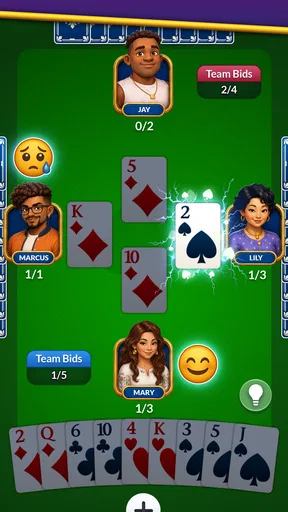
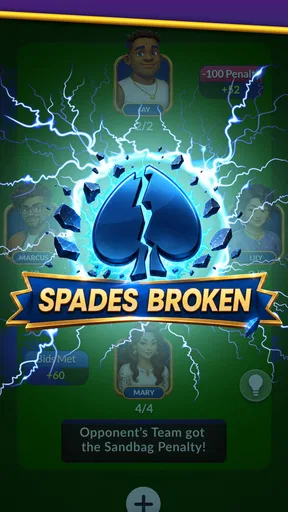
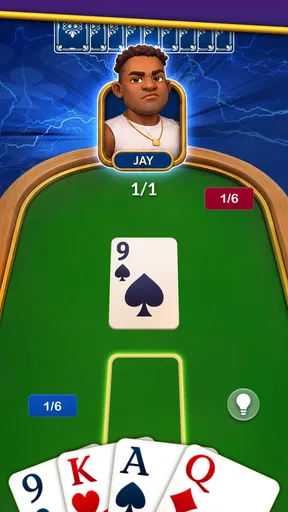
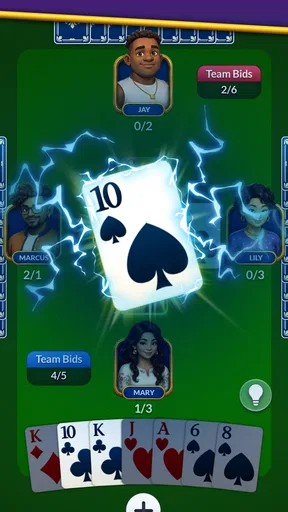
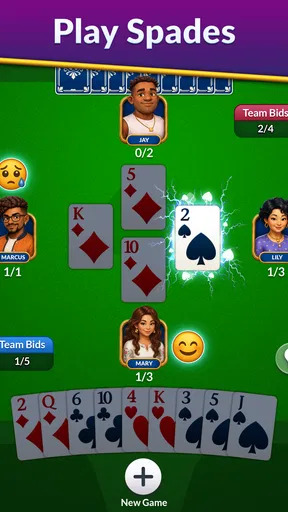
Once you fire up Spades - Classic Cards, you'll notice the sleek design and intuitive interface. The developers have done a fantastic job of keeping it simple yet visually appealing. No more fumbling around trying to figure out where everything is. You can jump straight into the action, which is what we all want, right?
Gameplay that rewards attention
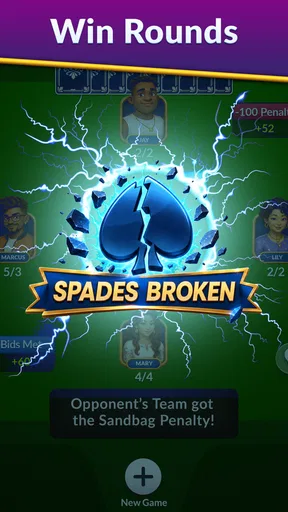
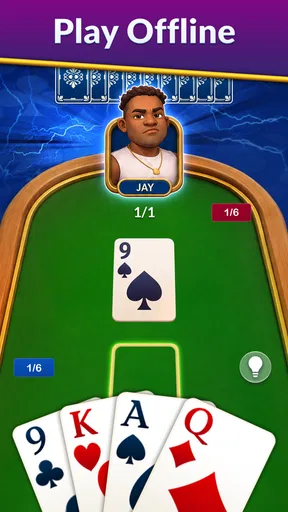
The game mechanics are smooth and responsive, making for an enjoyable and frustration-free experience. You can play solo against AI or dive into multiplayer mode to challenge friends or random players online. The AI is surprisingly smart, giving you a run for your money if you’re not careful. But don’t worry, it's not unbeatable. It’s all about strategy and a little bit of luck.
If you're new to Spades, the app has got your back with helpful tutorials and tips. You’ll be bidding and trumping like a pro in no time. And for the experienced players, there are various difficulty levels to keep the challenge alive.
Worth Reading Before You Choose

EA SPORTS FC Mobile 26 Is a Bigger Football Game, but It Takes Time

Flipboard Shows What News Apps Must Do Beyond the Feed

Switching to Android Auto Means Rethinking Your Driving Routine

Google Calendar Makes a Crowded Week Easier to Manage

Ludo King Makes the Most of the Minutes Between Plans

Baby Panda World Brings Quick Play to Modern Phones, but Its Game Library Feels Busy
How I’d use it between longer games
A realistic use for a quick Spades session is a lunch break or a wait for an appointment: I can open the game, focus on a hand, and put my phone away when the moment is over. Solo play is especially handy when nobody else is available, and it lets me concentrate on the card decisions rather than coordinating a group. For an unhurried evening with friends, I would still choose a shared table if the conversation is part of the fun.
One practical habit is to treat each hand as a small review of your own judgment. Before bidding, I would pause long enough to consider what my hand can reasonably support rather than letting a strong-looking suit decide for me. After the tricks play out, noticing whether the result came from the bid, the cards, or a partner’s contribution is more useful than simply chasing a win. That makes a solo session feel like practice, not just a way to pass time.
The difficulty choices can also help make practice more deliberate. I would begin at a comfortable level while learning the flow, then raise the challenge once I can follow the bidding and play without repeatedly stopping to think about the rules. A tougher opponent is most useful when I can explain my own decisions; if I am still learning the basics, a lower-pressure game gives me more room to understand why a hand unfolded as it did.
Personal touches and competitive motivation
One of my favorite things about this app is the customization options. You can tweak everything from card designs to the background. It adds a personal touch that makes the game feel uniquely yours. Plus, who doesn’t love a bit of personalization?
These choices are more than decoration if you play often. A clear card face and a background that does not distract can make it easier to scan the table quickly, while a different look can make repeated sessions feel less monotonous. I would choose readability first and style second, especially on a smaller phone screen or when playing in bright surroundings.
The app also features a leaderboard, so you can see how you stack up against other players. It's a great way to fuel your competitive spirit and push you to improve your skills.
I would use a leaderboard as a nudge rather than a verdict on skill. A ranking can make practice feel purposeful, but it does not tell the whole story of a particular hand, the quality of a bid, or the luck of the deal. If competition motivates you, it gives you a reason to return; if you prefer a relaxed game, there is no need to let a number turn a casual pastime into homework.
Where other kinds of card games may fit better
Compared with solitaire-style card apps, this is a better fit when I want partnership play and the challenge of bidding, rather than a puzzle I solve alone. Compared with other trick-taking games, Spades has its own appeal for players who enjoy the relationship between a bid and the tricks they try to win. That focus is also a limitation: someone looking for a broad collection of unrelated card games may prefer an app built around variety instead of one central game.
A physical deck or a video call with friends is still the stronger choice when table talk, shared reactions, and familiar house rules matter most. Online multiplayer can make it possible to challenge friends or random players, but playing through a screen does not create the same feeling as sitting together. I would choose this app for convenient access and a quick opponent, not as a promise that every real-world social detail carries over.
There is a related trade-off for players who care about consistent partnership tactics. Playing solo against AI can help you get more hands in and test your judgment, but it is not the same as learning the habits of a regular human partner. When I want to practice general bidding and card play, solo games make sense; when I want to build chemistry with a particular partner, arranging a game with that person is the more relevant practice.
Small frictions and the cost of changing habits
Even a smooth card game asks for attention: you have to follow the bidding, remember what has been played, and make decisions at a pace set by the game. That is part of Spades, not a defect unique to this app, but it means it is not ideal when I only have a few seconds or need to keep checking something else. I would skip a hand rather than start one in a moment when I cannot focus on it.
Moving from a physical deck to a phone also changes how I read the table. The app handles the visible cards and turn order, which is convenient, but the screen can make it tempting to play quickly instead of thinking through the consequences. I get more from a session when I slow down before committing to a bid and watch how the hand develops, especially when I am trying to improve rather than just fill spare time.
Switching from another Spades app should be a fairly low-commitment choice because this one is free to try, but changing routines still has a cost. If you already have a group that enjoys a different way of playing, the most important question is whether the digital format and its available play options suit that group. If you mainly play alone, it makes more sense to judge the feel of the interface, the challenge of the AI, and whether the tutorial support matches your experience.
Who will get the most from it
Spades - Classic Cards is perfect for those moments when you just need a quick break. Waiting for the bus? Stuck in a boring meeting? This game is your go-to for a bit of fun and mental stimulation. It’s also a great way to connect with friends. Challenge them to a game and see who emerges as the Spades champion!
I would recommend it most to people who already like Spades, players who want a convenient way to practice, and newcomers who want guidance before joining a game with friends. It is also a sensible choice for someone who wants one focused card game rather than a large library of different activities. The combination of solo play, multiplayer, difficulty choices, and customization gives different types of Spades fans reasons to give it a try.
I would be less likely to recommend it to someone who dislikes trick-taking games, wants constant variety, or mainly values face-to-face conversation. It may also be a poor fit if you want a digital version to reproduce every detail of your group’s preferred rules or social routine. In those cases, a different card-game collection, a tabletop deck, or simply meeting friends around a real table may serve you better.
For a new player, the useful question is whether the tutorial and tips make the rules approachable enough to keep going. For an experienced player, it is whether the AI difficulty and online challenges stay engaging. I would answer both by trying a few sessions with different opponents and paying attention to whether I am learning and enjoying the decisions, rather than expecting every hand to be equally challenging.
My recommendation after weighing the options
Overall, the app delivers a fantastic card game experience that’s both familiar and fresh. It's a must-download for any card game enthusiast. So, if you haven’t already, give it a whirl. You might just find yourself hooked.
My recommendation is positive, with one clear condition: choose it because you want Spades on your phone, not because you expect it to replace every kind of card-night experience. Its accessible presentation, guided learning, solo opponents, multiplayer options, and personal touches make it an appealing place to play and improve. With more than one million installs, it has reached a substantial audience, but what matters to me is whether its particular mix fits your habits.
For a quick game, a focused practice session, or a way to challenge someone when a physical deck is not handy, I think it is worth trying. If your priority is a wide selection of games or the atmosphere of a group gathered around a table, I would look elsewhere or keep a real deck nearby. For players who simply want a convenient, approachable Spades game, this is an easy recommendation.
Pros
- Engaging multiplayer mode for competitive play.
- Intuitive interface makes navigation easy.
- Customizable card decks for personalization.
- Offline mode available for solo play.
- Regular updates ensure smooth performance.
Cons
- In-app purchases can be expensive.
- Occasional ads disrupt gameplay.
- Limited tutorial for beginners.
- No option to change game difficulty.
- Chat feature lacks moderation tools.
FAQs for Spades - Classic Cards
What features does Spades - Classic Cards offer?
Spades - Classic Cards provides a traditional card game experience with both online and offline modes. Players can enjoy single-player games against AI or compete with friends and players worldwide. The app includes customizable card decks, various difficulty levels, and leaderboards to track your progress and skills.
Is Spades - Classic Cards free to download and play?
Yes, Spades - Classic Cards is free to download and play. However, the app may offer in-app purchases for additional features, such as ad-free gameplay or special card designs. These purchases are optional and enhance the gaming experience but are not necessary to enjoy the core game.
Does Spades - Classic Cards require an internet connection?
Spades - Classic Cards can be played both online and offline. An internet connection is required for online multiplayer games, where you can compete against other players. For single-player mode against AI, the game can be played offline, making it perfect for use without a data connection.
How can I improve my skills in Spades - Classic Cards?
To improve your skills, utilize the various difficulty levels available in the game. Start with easier levels and gradually progress to more challenging ones. You can also learn from playing against skilled opponents online or reviewing game tutorials and tips provided within the app to enhance your strategy.
Is my progress saved across devices on Spades - Classic Cards?
Yes, if you create an account or link the game to your social media profiles, your progress can be saved and synced across multiple devices. This feature allows you to switch devices without losing your achievements, leaderboard status, or in-game purchases, ensuring a seamless gaming experience.


